Raku++ now fully works on the RISC-V architecture. Today’s release v5.3.0 includes a binary that you can just download and run.
Some time ago, Alexey, one of the most enthusiastic Raku++ users, asked me if the compiler could run on that kind of computer. The answer was not that obvious: on the one hand, the sources are just a set of C++ files, which should be portable, but on the other hand, I have no RISC-V machine at hand to try it on.
The path to success took a few steps:
- Alexey compiled Raku++ on real hardware, and it worked.
- I tried to compile in a GitHub CI pipeline somehow. The job was killed after 3 hours, so that was not an option.
- I tried to cross-compile on a Mac, but where could I test it?
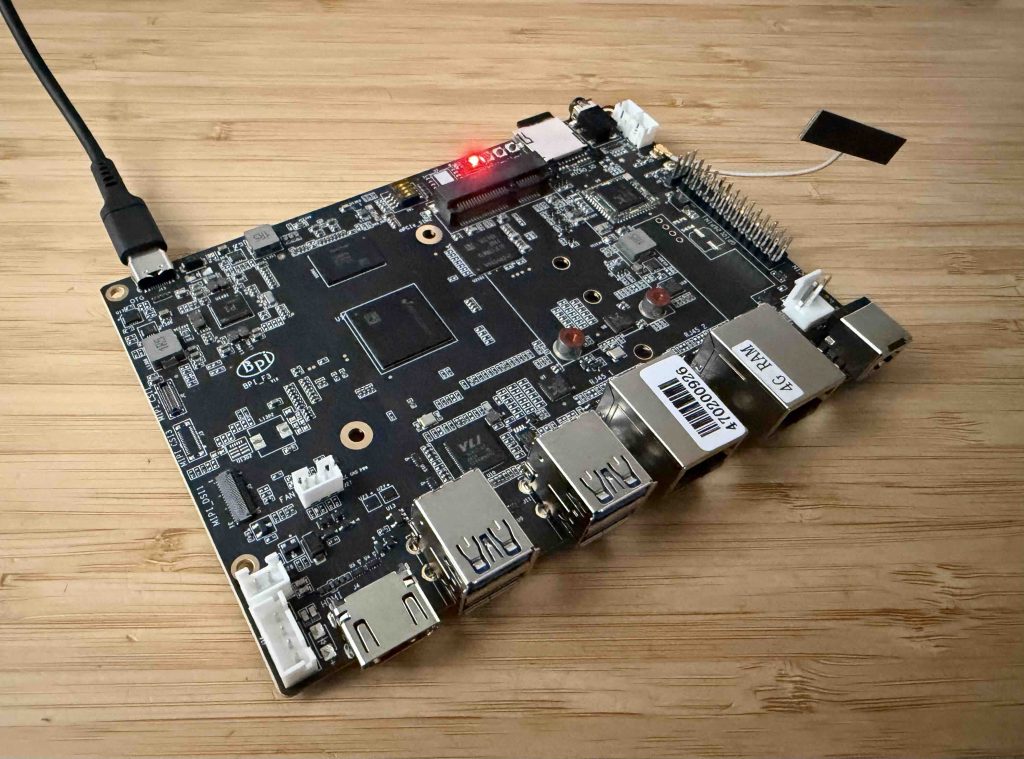
- So I ordered a real device, the Banana Pi BPI-F3, which is “an industrial grade RISC-V development board”.
Compilation on the device itself turned out to be slow, so in the end, Claude figured out how to build it reliable compilation in a GitHub CI job.
From now on, all you need to do is following the usual installation instructions, and the installer will download the archive and install Raku++ on the board:
$ curl -fsSL https://raku.online/install.sh | sh
 ==> downloading https://github.com/ash/rakupp/releases/latest/download/rakupp-linux-riscv64.tar.gz
     sha256 ok (8714f11c08cb2650aafe2fc8e934bcf81f01662a9975ab9146b6a8f0c715c2bd)
 ==> unpacked into /home/ash/.rakupp
 Install rakupp under the name "raku" as well? [Y/n] y
 ==> installed the name raku
 ==> Raku++ 5.3.0 (2026-10-09) riscv64-linux
And here we are:
bananapif3:~:% raku
Raku++ 5.3.0 — \h for help, ^D to exit
> 'Hello, Raku!'.say
Hello, Raku!
Overall, Raku++ works now on a number of platforms and operating systems:
Prebuilt release archives
| OS | CPU | Notes |
|---|---|---|
| macOS 11 (Big Sur) or newer | Apple Silicon (arm64); Intel (x86-64) | One universal binary built with Apple Clang |
| Linux | x86-64 | Needs glibc 2.28 or newer (built in a manylinux 2.28 container); libstdc++ is linked in statically |
| Linux | ARM64 (aarch64) | Needs glibc 2.28 or newer: Raspberry Pi, Graviton, Ampere, Docker on Apple Silicon |
| Linux | RISC-V (riscv64) | Needs glibc 2.35 or newer (Ubuntu 22.04, Debian 13). Cross-compiled; CI tests it under QEMU, and riscv64.yml runs it on real hardware when started by hand. --cnp kernels run interpreted here |
| OpenBSD | x86-64 | Built in a QEMU VM in CI, with the base clang and libc++ |
| Windows | x64 | MSVC with a static CRT. Installed with a setup wizard (rakupp-setup-windows-x64.exe) or a PowerShell one-liner |
| Windows | x64 (MinGW-w64) | A separate ZIP for MinGW-w64 / MSYS2 toolchains |
On Linux, x86-64 and ARM64 also get .deb packages.
Other ways to get it
- Docker:
ghcr.io/ash/rakuppforlinux/amd64andlinux/arm64. - Homebrew: on macOS.
- Nix / NixOS: a flake; NixOS can’t run the generic Linux binary. CI is
nix.yml. - GNU Guix: the repo is also a Guix channel. CI is
guix.yml. - Python wheels on PyPI (
pip install rakulang): macOS, Linux x86-64 and aarch64, and Windows.
Build from source only
- FreeBSD and NetBSD: the install one-liner detects them and prints the build commands instead of downloading a binary.
- Alpine and other musl Linux: the installer script runs there, but the prebuilt binaries need glibc, so you build from source.
- Anything else: another BSD, another Linux architecture, or a system too old for the archives. The build needs only CMake and a C++17 compiler, with no third-party libraries.
JavaScript / WebAssembly targets
- Raku.js (WebAssembly): runs in the browser. Each release attaches a single-threaded build with the playground and showcase bundles.
- JS backend (transpiling Raku to JS): the output runs under Bun, Node, Deno, or in a browser through
<script>. Inside the program,$*VMreportsjs.
P. S. It’s interesting how the history repeats. In 2018, I tried to run Perl 6 on an Orange Pi board (linked post in Russian), which seems to be a RISC V device too.